
G2 shows ClickUp at about 4.6 out of 5 across more than 12,000 reviews, with reviewers praising how much it can be shaped to the way a team works.
ClickUp is built for projects.
Your customers need a CRM that is ready on day one.
ClickUp is a flexible place to run tasks, docs and projects, and many teams stretch it into a CRM. That works until someone has to keep it tidy. SoftSync starts as a CRM: customer records, email, meeting notes, AI and follow-up already connected, so nobody has to build or babysit the setup.
Side-by-side
SoftSync vs ClickUp
ClickUp is a flexible work platform for tasks, docs and projects that teams shape into a CRM. SoftSync starts as a CRM, with customer records, email, meetings, AI and follow-up already connected, so the setup does not become a job of its own.
Feature scope checked against ClickUp pricing and ClickUp product overview.
| What matters | SoftSync | ClickUp |
|---|---|---|
| Starting point | A ready customer and sales workspace that you can still shape with your own record types, fields, groups, and views. | A flexible project and task platform where a CRM is built with custom fields, task types, and views. |
| Keeping records current | Connect email, capture meetings on the desktop without a bot, and keep the reviewed context on the customer record. | Strong tasks, docs, and automations; keeping customer history current depends on how the team sets up and connects the workspace. |
| Automation and AI | AI Assistant, AI teammates, and Autopilot, plus API and MCP, included on every plan. | ClickUp Brain and automations, with a pooled monthly AI credit allowance per user and extra credits sold separately. |
| Best fit | A team whose main work is customers and wants a CRM that works from the first day. | A team whose main work is projects and tasks, with a lighter customer list alongside. |
How a CRM built in ClickUp
tends to go.
ClickUp can be shaped into a pipeline, and that flexibility is why people choose it. This is the pattern teams describe when the sales work grows beyond the first setup.
- Week oneyou
You build the pipeline.
Custom fields, statuses and a board for deals. It feels good because it matches how you think about your sales.
- Week threeyou
You add the missing pieces.
Email, meeting notes and customer history live in other places, so you connect them and add automations to carry them across.
- Month twothe team
New people get lost.
A new teammate has to learn the views, the task types and the rules before they can log a single call.
- Month fivethe team
Things slow down and drift.
The workspace is shared with projects, docs and tickets. Finding the customer, and what was agreed, takes more clicks than it should.
- Month eightnobody
Someone owns the system, not the customers.
The CRM works only as long as somebody keeps rebuilding it. That is the moment many teams look for a tool made for customers.
The setup becomes a job of its own.
A flexible tool lets you build exactly what you want. It also leaves you in charge of keeping it working. Many teams find that the CRM they built inside a project tool slowly turns into one more thing someone has to look after.
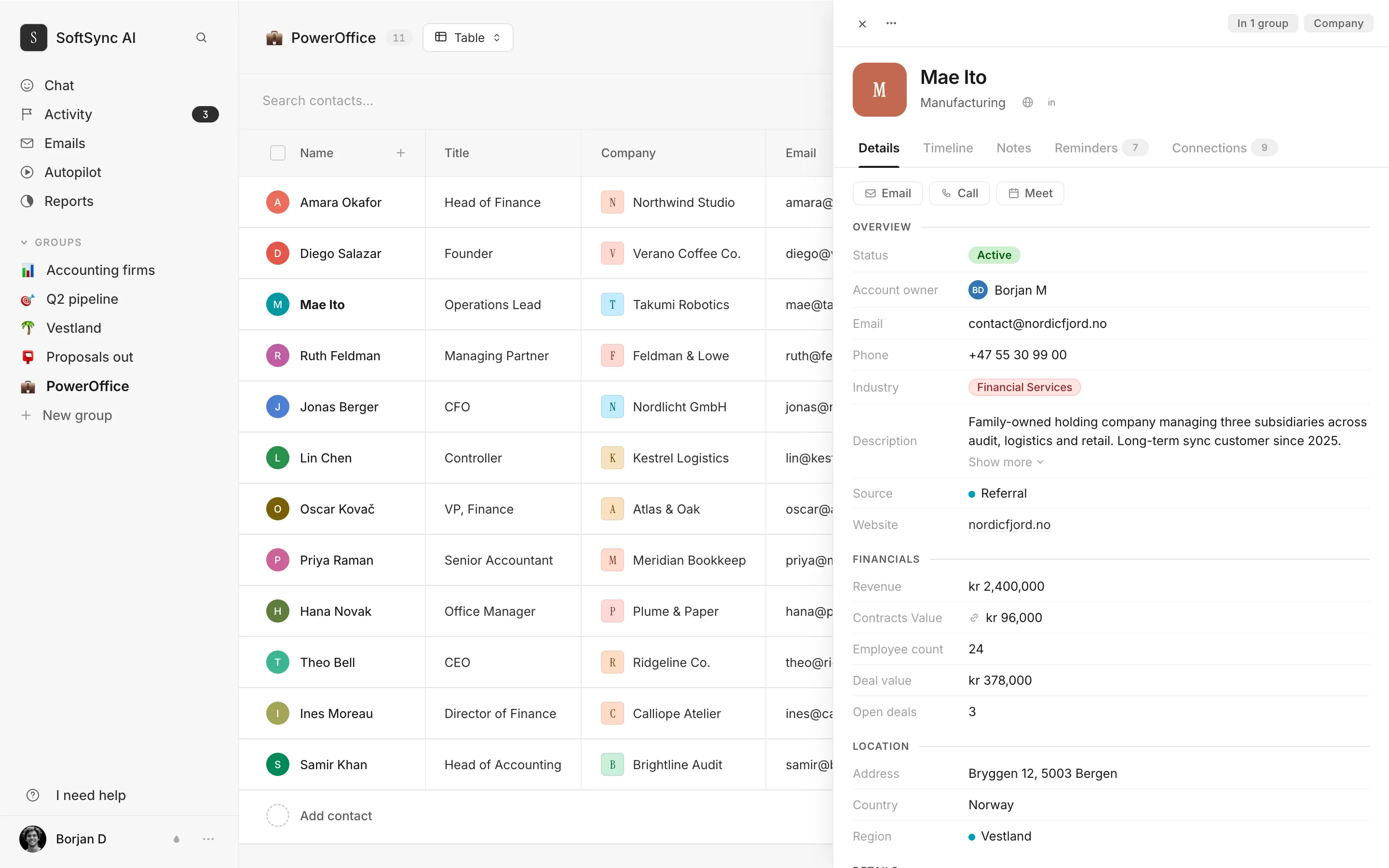
Everything about a customer,
on one page.
Every email, meeting, note and next step against the customer, in order, going back to the day you started.
Nothing to build first. Add your contacts, connect your email, and the history starts to fill in.
Why teams leave ClickUp
for a CRM.
ClickUp's strength is that it can be anything. For customer work that is also the catch: you decide the structure, and you keep it working.
- It is a project tool first. ClickUp is built around tasks and projects, and CRM is something you set up on top. SoftSync is a CRM from the start, so contacts, companies and deals are ready when you sign in.
- A lot of setup. Reviewers describe a steep learning curve and a long onboarding. SoftSync is made so that someone who can use a spreadsheet can use it, and we can help you move over.
- So many features that it feels heavy. Reviewers say the number of options can be overwhelming, even when all you wanted was to follow up with customers. SoftSync keeps to the customer work.
- Slowness. Slowdowns and lag are among the most common complaints in public ClickUp reviews. Speed depends on your workspace, so load the same customer list into each tool and compare.
- Customer history lives somewhere else. Email, calls and meeting notes have to be connected or copied in. SoftSync keeps them on the customer record, and the note taker works without a bot joining your calls.
- AI that is priced separately. ClickUp's own pricing page lists a pooled monthly allowance of AI credits per user and sells extra credits on top. In SoftSync, AI, MCP and API access are included on every plan.
When ClickUp is
still the right call.
We would rather you pick the tool that fits. ClickUp is a strong choice when the work is projects, not customers.
- Your main job is managing projects and tasks. Sprints, Gantt charts and time tracking are what ClickUp is for. SoftSync is for the customers around that work.
- You only need a simple list of contacts. A light pipeline inside the tool you already use can be enough while it is small.
- You want both, and you are happy to run them side by side. Many teams keep ClickUp for delivery and use SoftSync for the customer side. The two do different jobs.
Buyer evidence about ClickUp
The best and worst real feedback about ClickUp
These are the clearest positive and critical signals from real ClickUp reviews, and the reason to look at the whole sales workflow.
Trustpilot shows a 3.5 out of 5 TrustScore from about 500 reviews, where reviewers call it slow and buggy, and one reported a document disappearing after a network hiccup.
See the difference in practice
Bring one real sales workflow and see whether customer context, meetings, and follow-up stay connected.
Questions.
Can ClickUp work as a CRM?
Yes, with setup. You can build a pipeline with custom fields and statuses. The question is who keeps it working as the team and the sales process grow. SoftSync starts with the customer records, email, meetings and follow-up already in place.
Is SoftSync harder to learn than ClickUp?
No. If you can use a spreadsheet, you can use SoftSync. Import your contacts, connect your inbox and start.
Can we move our customers from ClickUp?
Yes. Export your lists to CSV and import them, and we can help you move across. Your projects, docs and tasks can stay in ClickUp, which is where they belong.
Does a bot join my meetings?
No. The desktop app captures meetings from your Mac or Windows computer. You review the editable summary and attach it to the right customer.
Do I need to pay extra for AI?
No. AI, MCP and API access are included on every SoftSync plan. ClickUp’s pricing page lists a pooled monthly allowance of AI credits per user, with extra credits sold separately.
What does ClickUp cost?
From clickup.com/pricing, read 12 November 2026, billed yearly: Free Forever at $0, Core at $9 per user a month, Business at $17, and Enterprise on request. Extra AI credits are $10 per 10,000. SoftSync Pro is $29 per seat a month, billed yearly, and includes the connected CRM workflow. The two cover different jobs, so compare the plan against the work you need done.
Stop building your CRM.
Start using one.
Keep ClickUp for projects if you like it. Give your customers a home that is ready on day one, with email, meetings, AI and follow-up already connected.