There is no vendor review corpus for a custom build. Its upside is total ownership of the product decisions and code.
Not applicable
Building a CRM can produce exactly the interface you imagine. SoftSync gives you the same room to shape records, fields, views, and connected workflows while taking responsibility for the dependable parts of customer software: email, permissions, meeting context, automation, and day-to-day use.
Side-by-side
Building a CRM can produce exactly the interface you imagine. SoftSync gives you the same room to shape the business model while taking responsibility for the unglamorous parts that make customer software dependable every day.
| What matters | SoftSync | A custom-built CRM |
|---|---|---|
| What you control | Custom record types, fields, groups, views, API, MCP, and workflows that fit the way your business sells. | Everything, if your team is willing to design and maintain every screen, integration, permission, and edge case. |
| The sales day | Email, campaigns, meetings, desktop recording, customer records, reports, AI, and follow-up are already connected. | Whatever the build includes, plus whatever the team has time to add when the process changes. |
| Automation and operations | Autopilot and AI Assistant provide usable product surfaces, while API and MCP keep custom extensions possible. | Unlimited theoretical flexibility, with hosting, security, deliverability, monitoring, backups, and support as part of the build. |
| Best fit | Teams that want to customise the important business-specific parts without becoming the vendor for their own CRM. | A business whose CRM is itself the product, or whose process is genuinely impossible to model in an adaptable workspace. |
The first prototype can be genuinely satisfying. You describe what you want and get contacts, companies, and deals linked properly, with table and board views, filters, imports, and a chat box for questions. The decision comes later, when outreach, email campaigns, meetings, permissions, and follow-up make the CRM a system the team depends on.
Once the team depends on the CRM, the important work is making the whole sales day reliable: connecting email, preserving conversation history, protecting deliverability, handling imports, and giving the team answers about data and permissions. Each part is solvable, but together they become an operating responsibility.
The first prototype is an exciting milestone.
Contacts, companies, and deals linked properly, with table and board views, filters, imports, and a chat box for questions. It is a strong first milestone for testing the sales process and learning what the team actually needs.
Email brings a deeper operating layer.
Once email is connected, the CRM becomes part of the daily sales system. Threading, matching, shared mailboxes, attachments, and connection health all need a clear operating design.
You send email, and deliverability becomes part of the product.
Deliverability is a business concern: authentication, sending reputation, bounce handling, and monitoring need clear ownership when the CRM sends customer email.
Imports need recovery, history, and data quality.
Production imports benefit from soft deletes, undo, audit history, tested backups, and a way to roll back one bad import without losing the valid work added afterward.
A customer asks about data, security, or deletion.
A real customer may ask where data is stored, who the subprocessors are, whether a DPA is available, how incidents are handled, and how deletion works across tables, backups, and logs. Those answers need to be documented and maintained.
And then it becomes an operating responsibility.
Once the CRM carries real customer history, the team needs reliable ownership for authentication, data quality, permissions, backups, deliverability, and changes. A founder or technical teammate can own that deliberately, but the work remains part of the product. SoftSync takes responsibility for the shared foundation so the team can spend its time on customers and the sales process.
Email is the bridge between outreach and the CRM record. A production connection needs to handle authentication, threading, matching, attachments, shared mailboxes, and large histories across Gmail and Outlook. SoftSync provides that connection through its published plans, while a build means owning the same operational details yourself.
SoftSync connects Gmail and Outlook through its published plans, and every item on that list is a reason to test the workflow with real customer data before choosing.
monthly, forever
A custom build trades a licence for ongoing ownership of the operating foundation.
5 seats · 12 months
Compare the cost of the licence with the engineering and operational time your team wants to invest in the CRM foundation.
SoftSync prices are from softsync.ai/pricing. A custom build has no comparable licence line because hosting, engineering, monitoring, security, and support are owned and priced by the team building it. softsync.ai/pricing
Building makes sense only when the CRM itself is the product. SoftSync gives teams the customisable foundation they need: records, email, meetings, permissions, AI, and follow-up, without asking them to own the entire CRM stack.
Email sync for Gmail and Outlook, deliverability, permissions, audit, backups, migrations and the compliance answers. Two years of them.
Build the part that differentiates the business on top, while SoftSync provides the CRM foundation and the connected sales surfaces.
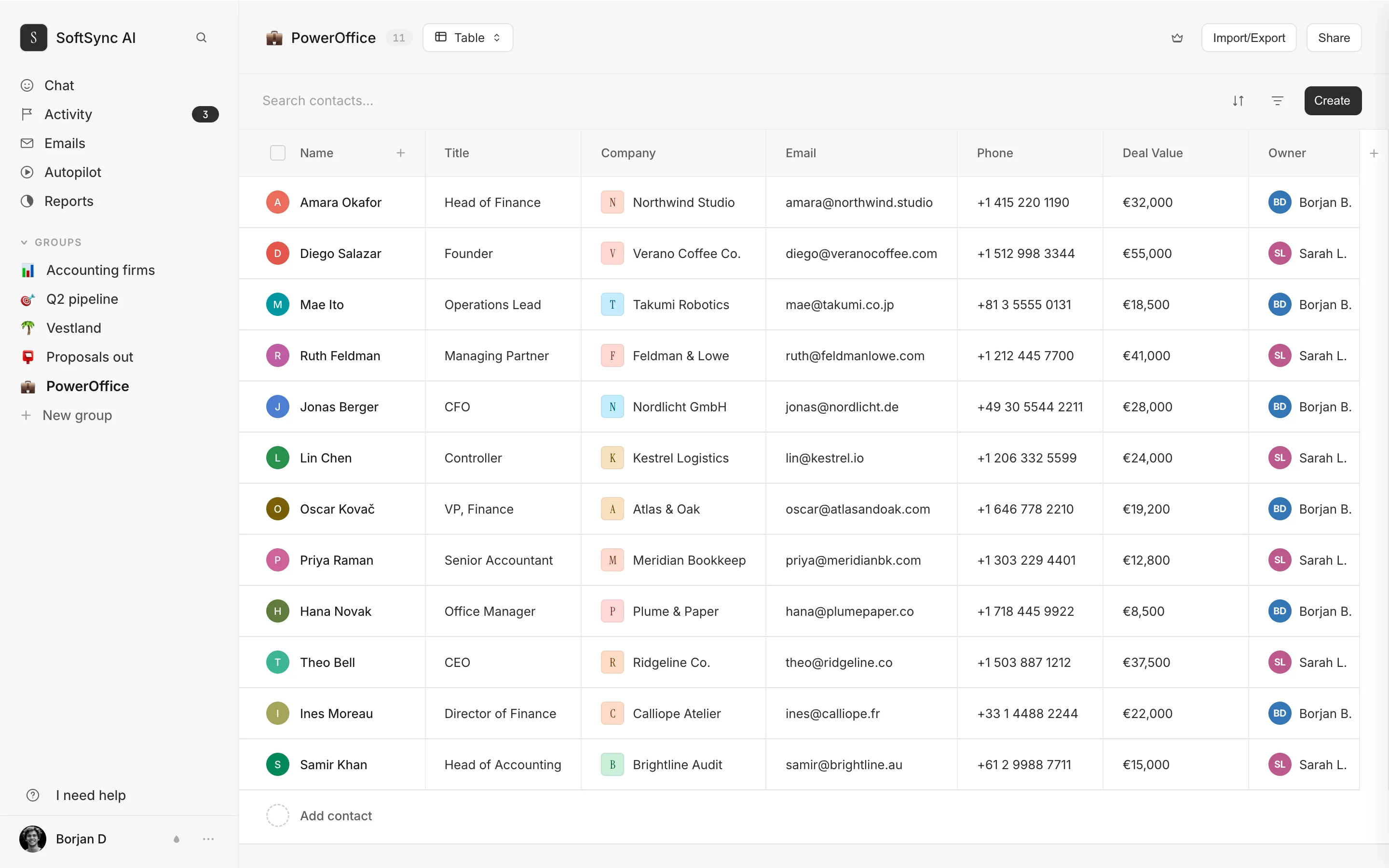
The boring, endless parts of a CRM benefit from being somebody's full-time job for years. The interesting part, the bit specific to your business, is a small piece of code on top. So build that piece, on us. The MCP server below connects Claude or ChatGPT and lets them do anything you can do in the product. The REST API is at https://api.softsync.ai/openapi/softsync/docs, eighty operations across sixty-six paths, including objects, where you create your own record types.
Endpoint counts read from our own OpenAPI document on 10 September 2026. The API and MCP documentation describe the records, email, notes, tables, groups, and views that an internal tool or assistant can work with. That lets a team keep the custom part of its workflow while using the shared CRM foundation for everyday sales work.
Buyer evidence about A custom-built CRM
A custom build has no vendor review corpus, so these are the real trade-offs a team takes on when it owns the product.
There is no vendor review corpus for a custom build. Its upside is total ownership of the product decisions and code.
Not applicable
There is no vendor review corpus. The owner also becomes responsible for hosting, security, integrations, data quality, monitoring, and support.
Not applicable
See the difference in practice
Bring one real sales workflow and see whether customer context, meetings, and follow-up stay connected.
Keep the part of the build that is specific to your business and connect it through the API or MCP. SoftSync already provides the customer records, email context, meeting capture, permissions, AI, and follow-up that are expensive to maintain as a side project.
 Book a demo