
A G2 reviewer valued Streak's ease of use, its Gmail plugin, and the ability to file CRM work quickly from the inbox.
Streak puts CRM work inside Gmail.
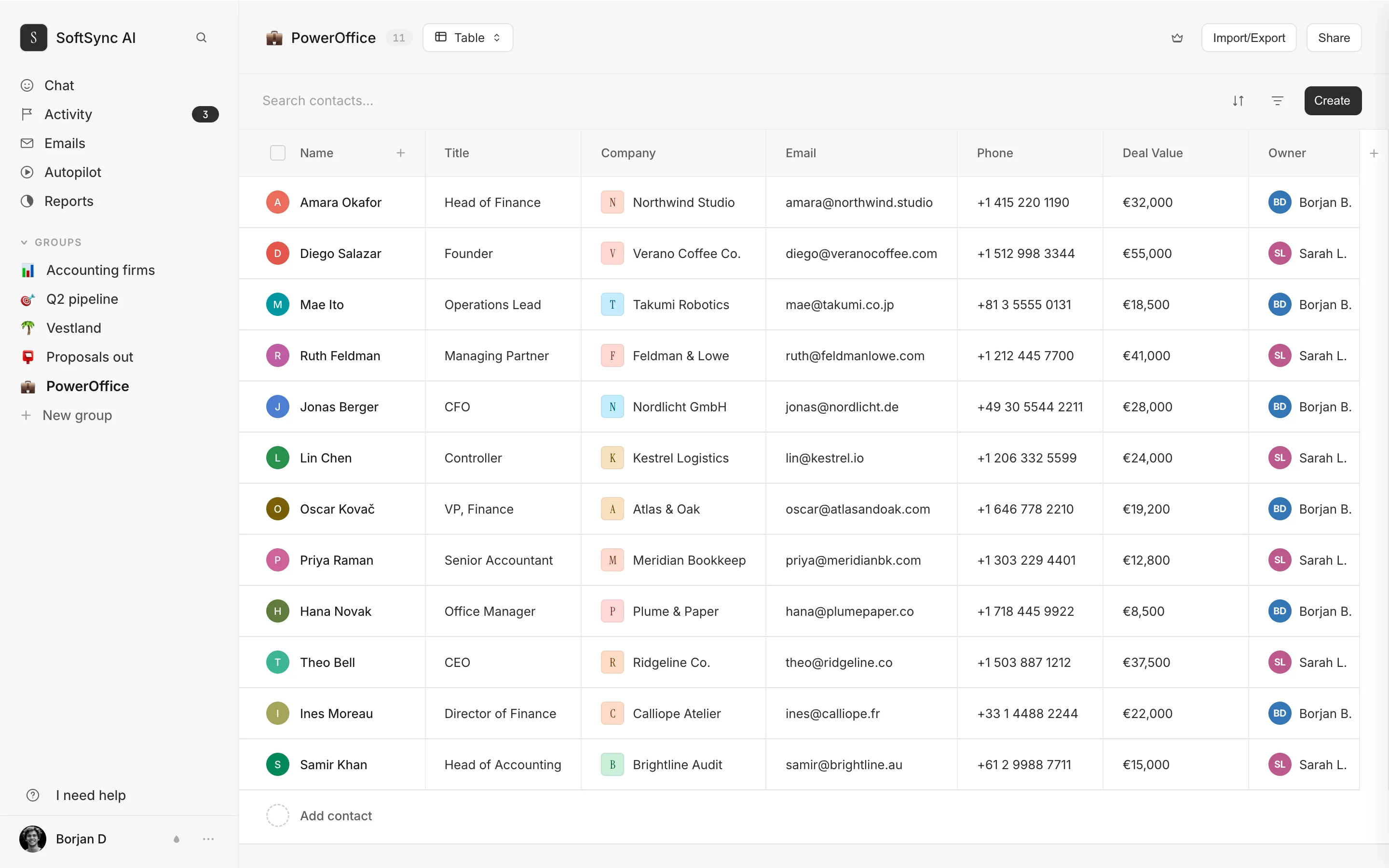
SoftSync gives the team a workspace beyond the inbox.
Streak makes Gmail the CRM. SoftSync connects email while also giving the team dedicated records, views, reports, meeting capture, AI, automation, and work outside the inbox.
Side-by-side
SoftSync vs Streak
Streak puts CRM work inside Gmail. SoftSync gives a team a dedicated customer workspace that still connects email, while adding structured records, views, meeting capture, automation, AI, and work outside the inbox.
Feature scope checked against Streak features and Streak CRM overview.
| What matters | SoftSync | Streak |
|---|---|---|
| Where the CRM lives | A dedicated workspace for customer records, groups, views, reports, conversations, and follow-up. | A Gmail-native CRM experience built around pipelines, boxes, email threads, and inbox-side tools. |
| Beyond email | Track custom record types, browser research, desktop calls, meeting summaries, campaigns, and connected workflows. | Adds call and meeting records, sequences, mail merge, and AI inside an inbox-first workflow. |
| Automation and AI | Use AI Assistant, Autopilot, API, and MCP without making the inbox the only place where work can happen. | Gmail-focused automation, email tracking, and AI Autofill for teams that prefer an inbox-first workflow. |
| Best fit | Teams that need one customer record across email, meetings, sales work, and future processes, regardless of where each teammate works. | A Gmail-first team that wants the shortest path from an email thread to a pipeline update. |
If your company is on Outlook,
SoftSync keeps the CRM in the conversation.
Streak is a browser extension that draws a CRM inside the Gmail interface, so Gmail is central to the product. SoftSync connects Gmail and Outlook to a dedicated CRM workspace, which suits teams with a mixed email stack or work that needs to continue outside the inbox. We counted the words on their homepage and their pricing page.
- Gmail, across both pages. 45 mentions
- Outlook. zero mentions
Counted from the visible text of streak.com and streak.com/pricing on 10 September 2026. Check it with a browser find. Streak makes Gmail the CRM, with pipelines drawn on top. SoftSync connects Gmail and Outlook to a dedicated CRM workspace on the published plans, which suits a mixed email stack or a team that wants customer work to continue outside the inbox.
Choose where the
CRM should live.
Streak makes Gmail the primary CRM surface in a supported browser. That is useful for a team that wants customer work inside the inbox. SoftSync uses a dedicated CRM workspace and connects Gmail and Outlook, which suits teams that need records, meetings, reports, and follow-up to remain useful beyond one inbox.
What living in the inbox gives you3
- Zero context switchingThe CRM is already open, because your email is.
- Email history that files itselfThe hardest part of a CRM, and they solved it years ago.
- Nothing new to learnIt looks like the thing your team already uses all day.
What it costs you4
- The CRM is as fast as Gmail isOn the day Gmail is having a day, so is your customer list.
- Everyone works in the inbox nowIncluding bookkeeping, ops and whoever does the invoicing, whether that suits them or not.
- An extension on each machineYour customer data is displayed by something you install, per browser, per computer.
- An update can break itA browser or Gmail change that breaks the extension breaks the CRM, and you wait.
Compare the plan
that runs your sales workflow.
Streak's pricing page presents straightforward plans with no add-ons, required fees, or consultants. Automations and integrations arrive at the Pro+ level. Compare that simple Gmail-first model with the dedicated workspace, connected email, meeting capture, AI, and follow-up your team needs.
Pro$49 per seat, annual
Core CRM, mail merge, shared pipelines. No automations, no integrations, no advanced reports. $2,940 a year for five people.
Pro+$69 per seat, annual
Where integrations, automations and advanced reports arrive. If the reason you're leaving a spreadsheet is that you want follow-ups to happen without you, this is the plan. Compare it with SoftSync Pro at $29 per seat annually, with Business and Enterprise available for higher-capacity or custom requirements.
Enterprise$129 per seat, annual
Custom roles and data validation.
streak.com/pricing, read 10 September 2026. Annual prices; monthly is $59, $89 and $159. Their free tier provides Gmail power tools, including email tracking, snippets, mail merge capped at 50 a day, and a thread splitter. Compare that starting point with the CRM workflow your team needs. streak.com/pricing · softsync.ai/pricing
Compare how AI
fits the sales workflow.
Streak publishes AI credit allowances by plan. SoftSync publishes monthly usage on its plans and connects ChatGPT or Claude through the connected workspace. The useful comparison is not a conversion between credits; it is whether AI helps with the records, conversations, meetings, and next actions your team works with.
Pro, $49 a seat
20 a user a month
fewer than one a working day
Pro+, $69 a seat
150 a user a month
about seven a working day
Enterprise, $129 a seat
500 a user a month
about twenty-four a day
From streak.com/pricing, read 10 September 2026. The two products count different things, so their AI credits are not converted into SoftSync usage. Streak also lists ChatGPT, Claude, and MCP among its integrations; compare the assistant connection and the context available in each workspace.
Any browser,
nothing to install.
Open a tab and it's there, on any machine, for the people who live in email and the people who don't.
SoftSync connects to Gmail and Outlook rather than making either inbox the whole CRM, so the team can work with records, meetings, and follow-up in one dedicated workspace. The assistant connection is documented around the actions and context it can use.
Five people,
one year.
We're comparing Pro+, because it's the cheapest Streak plan with automations and integrations.
Streak Pro+
5 seats · 12 months
- Per seat, per monthAnnual. $89 monthly.$69
- Five seats, twelve months$4,140
- AI creditsPer user per month. Twenty on the $49 plan.150
- Works with Outlookno
- Works outside Gmailmobile app only
- Free plan with the CRMThe free tier is Gmail email tools.no
Year one$4,140
Their entry CRM plan, Pro at $49, is $2,940 for five people. Automations and integrations are shown at Pro+, so compare the plan scope as well as the annual total.
SoftSync Pro
5 seats · 12 months
- Per seat, per monthAnnual. $39 monthly.$29
- Five seats, twelve months$1,740
- AI creditsA month, for the workspace.10,000
- Works with Outlookyes
- Works outside Gmailany browser
- Published plan250,000 records per table; Business increases capacity and Enterprise is custom.Pro
Year one$1,740
Streak's figures are their own, from streak.com/pricing at annual billing, read 10 September 2026. Ours from softsync.ai/pricing. We have not converted their AI credits into ours: the two products count different things. If a figure here is wrong, tell hello@softsync.ai and we will fix it and re-date it. streak.com/pricing · softsync.ai/pricing
Why SoftSync wins beyond
Gmail.
Streak makes the inbox the CRM. SoftSync connects email to a dedicated customer workspace where records, meetings, flexible structure, AI, and follow-up remain usable beyond one inbox.
- Record capacity works with the whole sales process. Streak's pricing page says unlimited records in Pro, Pro+, and Enterprise. SoftSync Pro holds 250,000 records per table, Business holds 1,000,000, and Enterprise is available for custom requirements, alongside structured meetings, reports, AI, and follow-up.
- Email context is one part of the customer record. Streak attaches email history to deals and shares it across the team without manual filing. SoftSync connects email context while also giving the team a dedicated workspace for records, meetings, reports, AI, and follow-up.
- The sales day continues beyond the inbox. Streak keeps CRM work inside Gmail. SoftSync keeps customer work moving across a dedicated CRM, email, meetings, flexible records, reports, AI, and other sales tasks.
- SoftSync brings the full workflow into the first conversation. Streak's free tier provides email tools such as tracking, snippets, mail merge, and a thread splitter. SoftSync starts with the full customer workflow when the team needs records, meeting context, AI, and repeatable next actions together.
- The plan covers the work you actually run. Streak's pricing page promises no add-ons, required fees, or consultants. SoftSync's Pro, Business, and custom Enterprise options cover a broader connected sales workspace, so compare the operating surface rather than the seat line alone.
- A focused workspace keeps ownership with the sales team. Streak has a larger public customer footprint and review history. SoftSync is built so the people doing the selling can shape records, views, meetings, AI, and follow-up directly.
Buyer evidence about Streak
The best and worst real feedback about Streak
These are the clearest positive and critical signals from real Streak reviews, and the reason to look at the whole sales workflow.
A G2 reviewer said the Gmail-integrated experience became “a little messy” and harder to navigate as more work was added.
See the difference in practice
Bring one real sales workflow and see whether customer context, meetings, and follow-up stay connected.
Questions.
We're a Gmail shop. Doesn't that settle it?
Streak keeps the CRM inside Gmail. SoftSync connects Gmail and Outlook to a dedicated workspace that also includes meetings, flexible records, reports, AI, and follow-up. The difference is inbox extension versus a complete customer-work operating surface.
You cap records and they don't. Isn't that worse?
The published capacity models are different. Streak lists unlimited records on its paid plans; SoftSync Pro holds 250,000 records per table, Business 1,000,000, and Enterprise is available for custom capacity. Compare the model with your expected customer history and the rest of the workflow.
What's actually wrong with a browser extension?
An inbox extension is useful for email-first filing, but it makes the inbox the operating surface. SoftSync keeps email context while giving the team a dedicated CRM for meetings, reporting, flexible records, AI, and follow-up outside Gmail.
Can we move from Streak to SoftSync?
Yes. Pipelines, boxes, contacts, companies and notes come across from an export. Your Gmail-side setup, the snippets, tracked threads and thread splits, doesn't, because it lives in Gmail rather than in the CRM.
Will an inbox-first CRM scale with our process?
Streak is built around Gmail-first CRM work. SoftSync gives the team a dedicated workspace for customer records, meetings, reporting, AI, and follow-up across Gmail and Outlook, so the process does not end at the inbox.
What does Streak cost, exactly?
From their pricing page, read 10 September 2026: Pro $49 per user per month annually and $59 monthly. Pro+ $69 and $89. Enterprise $129 and $159. The free tier is email tools, not the CRM.
Choose the workspace
that keeps everyone in context.
SoftSync is built for teams whose customer work spans email, meetings, records, reports, AI, automation, or teammates who work outside Gmail. See how the dedicated workspace keeps the next action visible after the inbox conversation.