
A G2 reviewer said folk did what they needed without the complexity or cost of a traditional CRM, including contact capture from email and WhatsApp.
folk is relationship-led.
SoftSync connects the sales journey.
folk is built around relationship-led outreach through networks such as LinkedIn. SoftSync starts with flexible customer records and carries the complete sales motion forward: email campaigns, meetings, customer history, AI, and repeatable follow-up in one connected workspace.
Side-by-side
SoftSync vs folk
folk is a fast, relationship-first CRM with strong contact capture and sequences. SoftSync starts with the same approachable daily workflow, then connects the customer record to meetings, custom work, AI, and repeatable follow-up.
Feature scope checked against folk product overview and folk help and pricing.
| What matters | SoftSync | folk |
|---|---|---|
| CRM model | Create the records, fields, stages, groups, and views that match your sales process, then link the customer history together. | Lightweight relationship CRM centred on contacts, groups, lists, deals, and quick workflows. |
| Outreach to follow-up | Keep browser-captured contacts, email campaigns, meeting notes, next steps, and deal progress in the same customer record. | Strong relationship-led outreach with folkX capture, LinkedIn/Gmail/Outlook connections, enrichment, and sequences. |
| Automation and AI | Ask the Assistant for context or updates, and describe repeatable follow-up jobs for Autopilot. | AI-assisted drafts, enrichment, dashboards, and automated sequences for a lightweight relationship workflow. |
| Best fit | Small sales teams that want quick daily use now and room for custom objects, integrations, API, and MCP work later. | Individuals and small teams whose main job is managing relationships and lightweight outreach. |
Compare the deal workflow
before choosing a plan.
folk's pricing table separates the Standard and Premium workflows. If your sales process needs deals, sequences, enrichment, or broader history, compare the plan that delivers those jobs with the connected customer workflow you want to run every day.
folk Standard
$24 a member, annual billing
- Objects, which is where deals livePremium, $48
- Email sequencesPremium, $48
- DashboardsPremium, $48
- REST APIPremium, $48
- Zapier and MakePremium, $48
- Workspace rolesPremium, $48
- Full history of interactionsPremium, $48
To get all seven$48
Once the workflow requires Premium features, compare folk Premium at $48 with the SoftSync plan that covers the connected customer journey.
SoftSync Pro
$29 a seat, annual billing
- Objects, unlimited kinds of thingincluded
- Email campaigns and follow-upsincluded
- Chart reportingincluded
- API and MCP serverincluded
- Role-based accessincluded
- Full history, back to day oneincluded
Published price per seat$29
These capabilities are part of the SoftSync product. Pro and Business are the published paid plans; Business adds more capacity and Priority Support, while Enterprise is custom.
folk's rows are folk's own, from folk.app/pricing at annual billing, read 10 September 2026. Ours are on our pricing page. If a figure here is wrong, tell hello@softsync.ai and we will fix it and re-date it. folk.app/pricing · softsync.ai/pricing
Decide how much interaction history
your team needs to share.
folk's Standard plan says the team can share the last 30 interactions, while Premium says everything. Check that history requirement against the conversations, meetings, and follow-up your team needs visible on each customer record.
Thirty, on Standard
About a fortnight for a team of three. A CRM is the place the history lives, so that when a customer calls, whoever picks up can see the last two years and not just last week. That shared memory is the entire product. Without it you have a list of names with phone numbers on it.
All of it, here
Back to the day you started in the workspace. Nobody has to ask a colleague what was agreed last time.
folk's Interactions sharing row, folk.app/pricing, read 10 September 2026: last 30 interactions on Standard, full history on Premium.
Two years of history,
on one page.
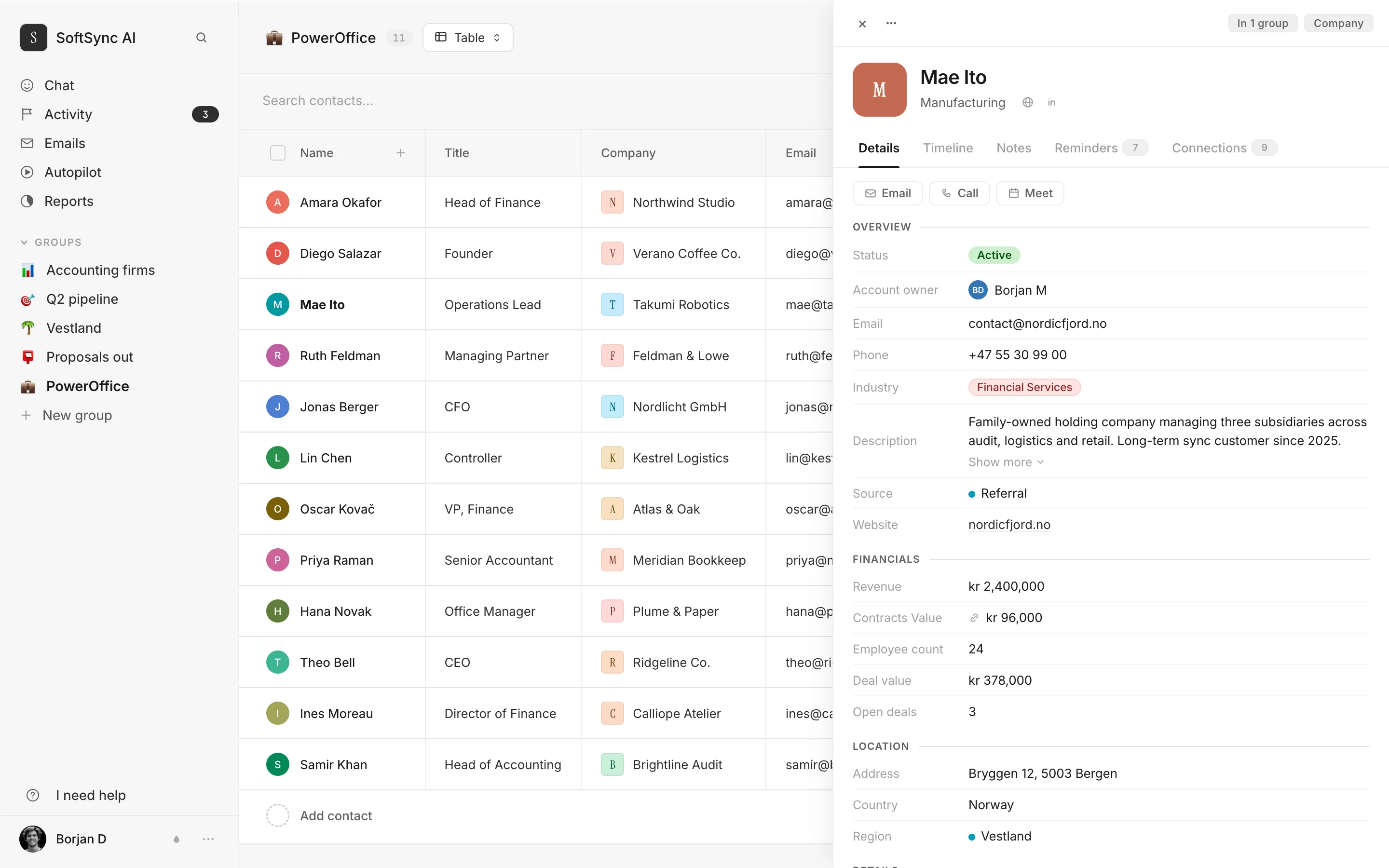
Every email, meeting, note, reminder and invoice against the customer, in order, going back to the day you started.
This is the operating difference to compare: how much customer history the team can share when a new conversation starts, and how easily that history leads to the next action.
Compare the usage model
before you choose.
folk publishes separate allowances for messages, AI fields, workflow runs, enrichment, research, email accounts, and sending domains. This table puts those allowances beside SoftSync's published plan usage so you can map the model to your campaign volume and inbox setup.
Messages
2,000 per member
5,000 per member
Magic fields, their AI
2,000 a month
5,000 a month
Workflow Assistant
1,500 runs a month
10,000 a month
Find emails, enrichment
500 a month
1,000 a month
Research Assistant
200 a month
200 a month
Email accounts you can connect
1 per member
5 per member
Custom sending domains
1
3
folk.app/pricing, read 10 September 2026. Research Assistant is listed at 200 per month on both plans. SoftSync publishes monthly usage for campaign emails, enrichments, and chats per user, with different allowances by plan. Compare the allowance that matters to the way your team runs outreach and follow-up.
Plan for what happens
after the trial.
folk gives you a fourteen-day trial with no card. Use it to test the outreach, relationship history, and deal workflow with real examples, then compare the paid plan against the broader sales process you want your CRM to support.
- folk's pricing FAQ says the account is blocked at the end of the two-week trial unless you upgrade, while the data is not immediately deleted. Use the trial to test the workflow, then make the plan decision with the real process in view. Know the trial-to-paid path.
- Import a representative contact set and test outreach, interaction history, deals, and the handoff from a reply to the next action before the trial ends. Use real sales examples during the trial.
- folk publishes a fourteen-day trial. Use that time to test outreach, relationship history, deals, and the handoff from a reply to the next action, then compare the paid plans against the workflow you expect to run. Use the full trial window.
Quoted from the folk.app/pricing FAQ, read 10 September 2026.
Why SoftSync wins beyond
relationship capture.
folk is a relationship-led outreach tool. SoftSync connects that first contact to the rest of the sales day: flexible records, campaigns, email, meetings, AI, and repeatable follow-up in one workspace.
- One workspace for the complete sales journey. folk does not publish a member cap on its standard plans. SoftSync Pro supports up to 5 team members, Business up to 25, and Enterprise is custom; every plan is built around connecting records, campaigns, meetings, AI, and follow-up.
- The conversation becomes structured customer work. folkX brings relationship-led outreach context into the workflow. SoftSync's browser extension is designed to bring useful context into the CRM and keep campaigns, meetings, customer history, AI, and the next step connected.
- Enrichment stays useful after the first find. folk publishes 500 finds a month on Standard and offers a broad database product. SoftSync's enrichment workflow brings researched details into the records your team already works from, where they can support outreach, meetings, and follow-up.
- Relationship work connects to a real sales process. folk centres the network and the relationship. SoftSync connects that relationship work to campaigns, meetings, structured records, customer history, AI, and next actions so the process keeps moving after the introduction.
- Automation and integrations serve the workflow. folk offers marketplace breadth through Zapier and Make on Premium. SoftSync provides selected direct connectors and workflows, plus API and MCP access when a custom connection needs to work with CRM records.
- The product is built around the whole customer record. folk has a larger public customer footprint. SoftSync is a focused CRM for teams that want outreach, customer records, meeting context, AI, and follow-up connected in one workspace.
Buyer evidence about folk
The best and worst real feedback about folk
These are the clearest positive and critical signals from real folk reviews, and the reason to look at the whole sales workflow.
A G2 reviewer cited the lack of a mobile app and frustration that all features required the highest tier, whether or not every user was active.
See the difference in practice
Bring one real sales workflow and see whether customer context, meetings, and follow-up stay connected.
Questions.
Isn't $24 still cheaper than $29?
The seat price is only one part of the comparison. folk Standard is $24 annually billed, while SoftSync Pro is $29 and includes the connected CRM workflow across records, email, meetings, AI, and follow-up. If your process needs folk Premium's features, compare its $48 price with the broader sales workflow SoftSync includes in one workspace.
Do I really need the full interaction history?
Full history matters when a relationship moves from outreach to meetings, opportunities, and follow-up. folk Standard lists the last 30 interactions while Premium lists the full history; SoftSync keeps the customer record, meeting context, and next action together so the seller can act on the relationship's full context.
You cap seats and they don't. Isn't that worse?
SoftSync Pro supports up to 5 team members, Business up to 25, and Enterprise is custom; folk does not publish a member cap on its standard plans. SoftSync's value is the connected operating surface each member can use: records, campaigns, meetings, AI, and follow-up, not only access to a contact list.
You both have an MCP server. What's actually different?
Both products expose an MCP connection, but SoftSync's assistant works with the connected sales workspace: records, email, notes, tables, groups, and views at https://api.softsync.ai/mcp/softsync. The practical test is whether the assistant can act on the customer context and next action your team needs.
Can we move from folk to SoftSync?
Yes. People, companies, notes and history come across from an export. Your groups, views and any sequence setup don't.
What does folk cost, exactly?
From their pricing page, read 10 September 2026: Standard $24 per member per month on annual billing, $30 monthly. Premium $48 and $60. Enterprise from $80 and from $100. No free plan, and a two-week trial with no card.
Price the plan
you'd actually be on.
Compare the plan against the work you need to run. folk focuses on lightweight, relationship-led outreach; SoftSync connects the broader journey across records, campaigns, meetings, AI, and follow-up. See the current Pro, Business, and Enterprise options, then test the workflow your team runs every week.